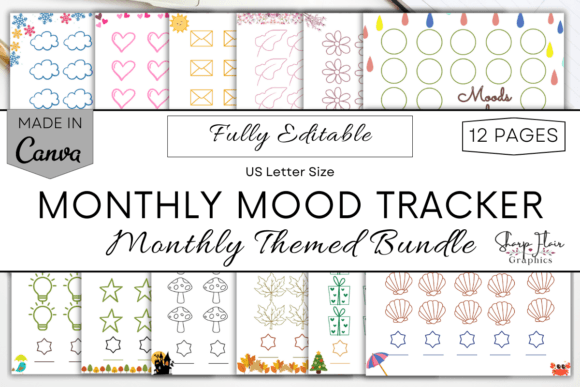
Mastering Your Emotional Landscape with a Monthly Mood Tracker Canva Template
Tracking your emotional well-being is more than just a trend; it is a fundamental practice for mental clarity and self-awareness. However, many individuals struggle to maintain consistency because traditional journals feel rigid or time-consuming. This is where a Monthly Mood Tracker Canva Template becomes an invaluable tool. By combining the flexibility of digital design with the therapeutic act of journaling, you create a system that adapts to your life rather than forcing your life to fit into a pre-printed book.
The concept is simple yet powerful: you receive a bundle of twelve monthly-themed pages, each completely editable. You track your daily mood by coloring in specific sections, creating a visual map of your emotional patterns over time. But while the premise sounds straightforward, there are common pitfalls users encounter when selecting and utilizing these digital resources. Understanding these nuances ensures you get the most out of your investment.
The Trap of Static Design vs. Dynamic Needs
One of the most frequent mistakes buyers make is assuming that a "printable" tracker must remain static. Many people purchase rigid PDFs that cannot be altered, only to find the color codes or layout do not resonate with their personal experience. For instance, a pre-set legend might list "anxious" and "stressed" as separate categories, but for some, these feelings are indistinguishable. If you cannot edit the text, you are forced to use a system that feels inaccurate, leading to abandoned tracking habits.
This is why choosing an editable Monthly Mood Tracker Canva Template is crucial. With a fully customizable file, you have the freedom to define your own emotional vocabulary. You can merge categories, add new ones, or change the font to something that feels calming to you. The ability to edit font, text elements, and background means the tracker evolves with you. If you realize mid-year that you want to track energy levels alongside mood, you can simply duplicate a page and add that layer. This adaptability prevents the frustration of using a tool that feels foreign to your internal experience.
Overlooking the Digital-Physical Hybrid Potential
Another common misunderstanding is viewing digital products as strictly one-or-the-other: either you print them, or you use them on a tablet. Many users miss the efficiency of a hybrid approach. Because this bundle is a digital product delivered via a ZIP folder containing a PDF with a Canva link, you have multiple avenues for usage.
Some beginners make the error of printing all twelve months at once. While this seems organized, it often leads to waste if your preferences change or if you lose motivation after a few months. A better approach is to print month-by-month. This allows you to refine your color-coding system based on the previous month’s insights. Alternatively, uploading the PDF to an iPad for paperless usage offers instant correction capabilities. If you color a day incorrectly on paper, it is permanent. On a tablet, you can adjust instantly, maintaining the aesthetic integrity of your journal without the stress of perfectionism.
Neglecting the Power of Visual Pattern Recognition
People often treat mood tracking as a mundane checklist, forgetting its primary purpose: pattern identification. A significant mistake is choosing arbitrary colors without a strategic logic. If you pick colors that are too similar in shade, such as light blue for "calm" and slightly darker blue for "sad," you may struggle to distinguish trends at a glance.
To avoid this, take time to create a high-contrast color code. Use warm tones for high-energy emotions and cool tones for low-energy states, or vice versa, depending on what makes sense to your brain. The Monthly Themed Moods included in this bundle provide a seasonal backdrop that can subtly influence your perception. For example, a winter-themed page might naturally encourage reflection, while a summer-themed page might evoke energy. Aligning your color choices with these themes can enhance the intuitive nature of the tracking process. By customizing the background and elements in Canva, you ensure that the visual cues support, rather than distract from, your data analysis.
Technical Oversights in File Management
From a practical standpoint, many users overlook the technical requirements before purchasing. It is essential to understand that this is a digital product; no physical item will be shipped. Some buyers expect a tangible book and are disappointed upon download. To prevent this, ensure you have a free Canva account ready before you begin. The process involves downloading a ZIP folder, extracting the PDF, and clicking the link to access the template in Canva.
Furthermore, check your printer settings if you plan to go analog. The pages are designed in Letter Size (8.5x11 inches). Printing them on A4 paper without adjusting scale can result in cut-off edges or awkward white borders, diminishing the aesthetic appeal. Taking a moment to preview the print layout saves paper and ensures a professional look. Additionally, remember that mock-ups are not included in the download. If you are a creator planning to share your progress on social media, you will need to photograph or scan your completed pages yourself. Planning for this step ensures you can document your journey effectively.
Maximizing Customization for Long-Term Engagement
The true value of this bundle lies in its editability. You are not just buying a tracker; you are buying a framework. Here is how to avoid the mistake of under-utilizing the features:
- Edit the Legend: Do not stick to the default moods. If "excited" and "happy" feel redundant to you, combine them. Add specific triggers like "work stress" or "social battery" if those are relevant to your life.
- Adjust the Layout: If you prefer a minimalist look, remove decorative elements. If you need motivation, add inspirational quotes to the header using Canva’s text tools.
- Experiment with Formats: Try printing one month on cardstock for a durable physical copy, and use another month digitally on your tablet. Compare which method yields higher consistency for you.
By treating the Editable Monthly Mood Tracker Bundle as a living document, you increase the likelihood of long-term adherence. The goal is not just to record data, but to understand yourself better. When the tool feels like an extension of your personality, you are more likely to engage with it daily.
Making the Right Choice for Your Wellness Journey
Before finalizing your decision, consider your current relationship with journaling. If you have struggled with consistency in the past, the flexibility of a Canva template is your best ally. It removes the barrier of entry by allowing you to start small and expand as you grow comfortable. Check that you have access to a device that can run Canva smoothly, whether it is a laptop, tablet, or smartphone.
Remember, this bundle includes 12 pages, one for each month. This structure provides a natural reset point every thirty days, allowing you to reflect on the past month and set intentions for the next. It is a balanced approach that avoids the overwhelm of annual planners while providing more structure than loose leaf papers. By avoiding the common mistakes of rigidity, poor color selection, and technical unpreparedness, you position yourself for a successful and insightful tracking experience. The power lies not just in the download, but in how you choose to customize and commit to the process.