Creating Hand-lettered Fonts with Procreate Calligraphr: A Practical Guide for Beginners
There is a distinct difference between selecting a font from a dropdown menu and crafting one that carries your personal signature. For years, custom typography was the exclusive domain of specialized graphic designers with expensive software suites and years of technical training. Today, the barrier to entry has collapsed. Creating hand-lettered fonts with Procreate Calligraphr represents a shift toward accessible, personalized digital design, allowing anyone with an iPad and a stylus to turn their handwriting into a functional typeface.
This process isn’t just about aesthetics; it is about utility and brand identity. Whether you are a small business owner looking to distinguish your packaging, a teacher creating engaging worksheets, or a blogger wanting a unique header style, the ability to generate your own font offers tangible benefits. The workflow combines the intuitive drawing experience of Procreate with the automated font-generation capabilities of Calligraphr, making it possible to go from sketch to installed font file in a single afternoon.
Why Personal Typography Matters in a Digital World
We live in an era of digital saturation. Consumers and readers are bombarded with standardized content using ubiquitous fonts like Helvetica, Arial, or Times New Roman. While these typefaces are reliable, they lack personality. When you create your own handwriting fonts, you inject humanity into your digital communications. This human touch builds trust and recognition.
Consider the psychological impact of seeing a handwritten note versus a typed letter. The former feels intentional and personal. By translating that feeling into a digital font, you can scale that intimacy. You aren’t just designing letters; you are designing a voice. This is particularly valuable for entrepreneurs and creators who rely on building a connection with their audience. A custom font becomes part of your visual vocabulary, distinguishing your emails, social media graphics, and products from the noise of generic templates.
The Workflow: Bridging Art and Technology
The magic of this specific method lies in its simplicity. You do not need to understand the complex vector mathematics behind traditional font creation. Instead, the process relies on a straightforward template system. Here is how the practical application works:
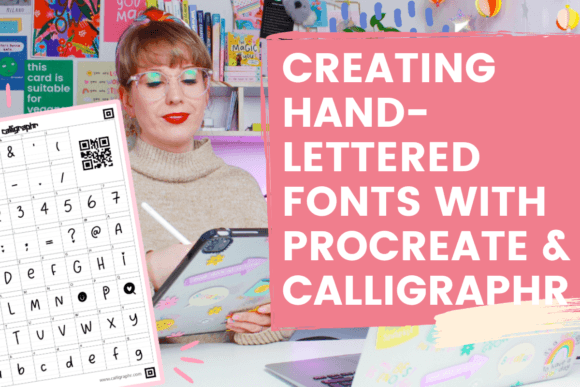
- Template Preparation: You download a printable or digital template from Calligraphr. This grid ensures that every letter you draw aligns correctly with standard typography spacing and baseline rules.
- Drawing in Procreate: Using Procreate, you import the template as a guide layer. You then use your preferred brushes—whether they mimic ink, pencil, or marker—to draw each character. This is where your artistic style shines. You can keep it messy and organic or clean and structured.
- Upload and Generate: Once your characters are complete, you export the image and upload it back to Calligraphr. The tool automatically traces your drawings, converts them into vector paths, and compiles them into a usable font file (TTF or OTF).
This seamless integration allows illustrators and hobbyists to focus on the creative act of drawing rather than the technical hurdles of font engineering. It democratizes type design, making it a viable project for a weekend rather than a semester-long course.
Real-World Applications for Different Users
Understanding where and when to use your new font is just as important as knowing how to make it. Different users will find unique value in this skill set.
For Small Business Owners and Entrepreneurs
If you run an Etsy shop, a bakery, or a consulting firm, branding is everything. A custom font can be used on your logo, product labels, and thank-you cards. Imagine sending a digital invoice or a newsletter that features headers in your own handwriting. It reinforces your brand identity at every touchpoint. It signals attention to detail and care, qualities that customers often associate with small, independent businesses.
For Educators and Parents
Teachers often struggle to find resources that feel approachable to students. Standard textbook fonts can feel sterile. By creating a font that mimics clear, friendly handwriting, educators can create worksheets, flashcards, and presentation slides that feel more inviting. For parents homeschooling their children, creating a font based on their own handwriting can make learning materials feel more personal and less institutional.
For Bloggers and Content Creators
In the crowded space of social media and blogging, visual consistency is key. Using a custom font for quote graphics, Pinterest pins, or video thumbnails ensures that your content is instantly recognizable. It prevents the "stock photo" look that plagues many feeds. When you build your own unique handwriting fonts, you eliminate the need to constantly search for free-to-use commercial fonts that everyone else is also using.
For Wedding Planners and Event Designers
The wedding industry thrives on personalization. Couples often want invitations that reflect their story. A designer who can offer a custom font service—perhaps creating a font based on the couple’s actual handwriting—adds a high-value, bespoke element to their package. This application moves beyond simple decoration into the realm of sentimental artifact creation.
Key Considerations Before You Start
While the technology makes the process easy, achieving a professional result requires some strategic thinking. Before you dive into Creating hand-lettered fonts with Procreate Calligraphr, consider these practical factors:
Consistency is Crucial: Your handwriting likely changes depending on your mood, speed, and fatigue level. When drawing your alphabet, try to maintain a consistent weight and slant. If your "A" is thick and bold but your "B" is thin and shaky, the final font will look disjointed. Use Procreate’s stabilization features to help smooth out your lines if necessary.
Legibility vs. Style: There is a balance between artistic flair and readability. A font that looks amazing as a large headline might be impossible to read in a paragraph of body text. Decide early on what the primary use case for your font will be. If it is for headlines, you can be more experimental. If it is for long-form reading, prioritize clarity and open spacing.
Character Set Completeness: Don’t forget the essentials. It is easy to focus on the letters A-Z, but a functional font needs numbers, punctuation marks, and special characters. Think about how you will use the font. If you are creating it for pricing tags, ensure your dollar signs and decimals are well-designed. If it is for informal notes, focus on exclamation points and question marks.
Maximizing the Value of Your Custom Font
Once you have generated your font file, the work isn’t quite done. To get the most out of your creation, test it in real-world scenarios. Install it on your computer and use it in Word, Photoshop, or Canva. Look for spacing issues. Some letters may need kerning adjustments (the space between specific pairs of letters) to look balanced. Calligraphr offers basic kerning tools, but being aware of potential spacing quirks helps you refine your drawing style in future iterations.
Furthermore, consider creating multiple weights or styles. If you enjoy the process, you might create a "bold" version for emphasis and a "light" version for subtlety. This expands the versatility of your typeface family, making it useful for more complex design projects.
Ultimately, Creating hand-lettered fonts with Procreate Calligraphr is more than a technical tutorial; it is an invitation to reclaim ownership of your digital expression. It empowers you to stop settling for generic options and start communicating with authenticity. Whether you are looking to enhance your business branding, add a personal touch to your teaching materials, or simply explore a new creative hobby, this toolset provides a straightforward path to professional-looking results. The combination of Procreate’s artistic freedom and Calligraphr’s technical precision makes it an ideal starting point for anyone ready to leave their mark on the digital page.